
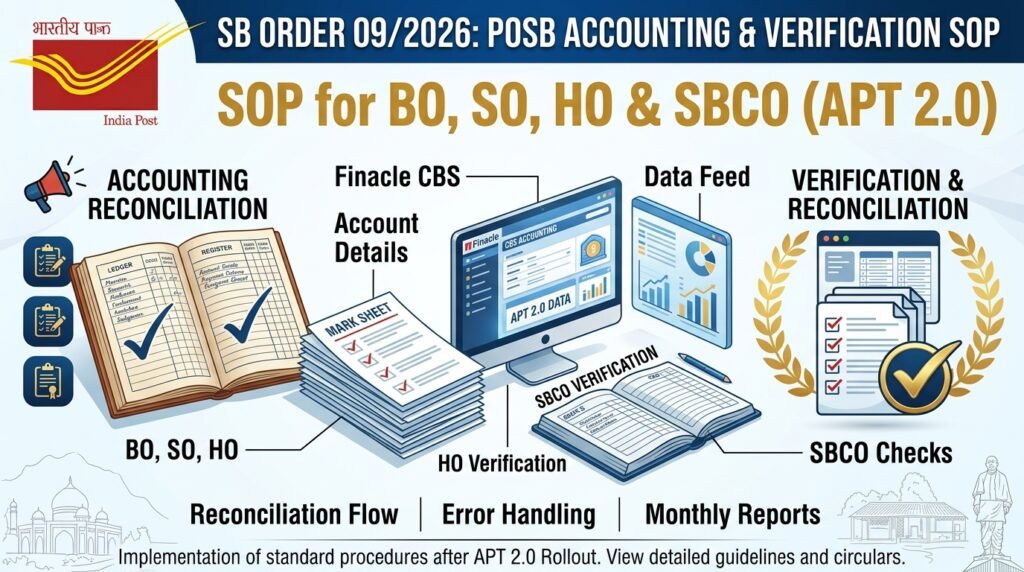
Important update for everyone working with Post Office Savings Bank (POSB) transactions! 📢
The Department of Posts (Financial Services Division) has issued SB Order No. 09/2026. It gives a detailed Standard Operating Procedure (SOP) for accounting and verification of POSB (CBS) transactions at post offices after APT 2.0.
This SOP covers every level – Branch Post Office, Sub Post Office, Head Post Office, SBCO, Divisional Office and Inspecting Authorities.
Let’s understand it in simple words.
📄 Order at a glance
- Order No.: SB Order No. 09/2026
- File No.: FS-16/2/2024-FS-DOP
- Issued by: Department of Posts, Financial Services Division, Dak Bhawan, New Delhi
- Signed by: Devender Kumar Sharma, Assistant Director (SB-II)
- Date: 24.07.2026
- Sent to: All Heads of Circles / Regions
- Builds on: SB Order No. 12/2025 (15.09.2025) and SB Order No. 16/2025 (02.12.2025)
🔑 Key instruction
- The SOP must be strictly followed by all concerned.
- All POSB transactions done before this SOP must also be verified immediately, and a report sent to the PAO.
🔄 How CBS data reaches APT – the basic flow
- CBS transactions are done in Finacle (HO/SO) or the DREAM App (BO).
- HOs/SOs run CSMDAY in Finacle to close the day.
- BOs close the day in DREAM App through Counter Operations → Close Account.
- ❌ No transaction should be done after CSMDAY / Close Account.
- CBS data is then pulled from Finacle into APT through API for same-day accounting.
🏡 1. At Branch Post Office (BPM’s duties)
- ✅ Start the day with Day Begin in the DREAM App.
- ✅ Do all CBS transactions only through DREAM App.
- ✅ Before Close Account, check Core Banking Services → Pending Transaction Status.
- ✅ If anything is Pending / Not Posted to Finacle, click Update Pending Transactions. Repeat until nothing is pending.
- ✅ Generate the Daily Transaction Report and check all CBS transactions.
- ✅ Make sure all CBS transactions also show correctly in the BO Daily Account (BODA).
- ⚠️ If a transaction is missing in BODA due to a technical issue, account it under CBS Receipt Mismatch or CBS Payment Mismatch.
- ✍️ Write mismatch details manually in BODA and inform the Account Office.
👉 The BPM is responsible for correct daily CBS data in BODA.
⚠️ The golden rule: NEVER net off mismatches
This is the most important point in the SOP.
Example given in the order:
- Difference on receipt side = ₹5,000
- Difference on payment side = ₹2,000
| ✅ Correct way | ❌ Wrong way |
|---|---|
| CBS Receipt Mismatch – ₹5,000 | CBS Mismatch Receipt – ₹3,000 (netted) |
| CBS Payment Mismatch – ₹2,000 |
👉 Receipt and payment mismatches must always be shown separately. They must never be adjusted based on cash in hand.
🏢 2. At HO/SO – Own Office Transactions (Postmaster/SPM)
- ✅ Do all transactions through Finacle. Avoid direct POSB-CBS accounting in APT.
- ✅ Work only between Day Begin and CSMDAY.
- ✅ Handle cheque payments carefully to avoid duplicate entries in APT.
- ✅ Fetch CBS data through API before Day End in APT.
- ✅ Tally all CBS receipts and payments in the Daily Transaction Report (DTR) before Day End.
- ⚠️ Missing data? Use CBS Receipt Mismatch / CBS Payment Mismatch – no netting.
👉 Postmaster / SPM is responsible for the correctness of their own office’s CBS data.
🏬 3. At HO/SO – Subordinate Office Transactions
- Generate Finacle CBS reports for previous dates of subordinate offices.
- Check the accounted CBS data in BODA / SODA.
- Reconcile any difference in the Sub Accounts Module using Finacle reports.
- SOs must write mismatch details manually in SODA for the Account Office.
What to do in two common cases
| Situation | Account Office action | Subordinate Office action |
|---|---|---|
| Mismatch shown in BODA/SODA | Reconcile and move it to the correct account code in Sub Accounts | Give full details of mismatch entries |
| Mismatch NOT shown, but figures don’t tally with Finacle | 1. Raise an Error Book entry and ask SPM/BPM for reasons 2. No correction in APT for that day 3. If repeated, report to Divisional Head | Check balances, explain the reason and bring the transaction into account at once |
💡 Not accounting a transaction means the closing balance is wrong, so cash balance must be tallied every day.
- The Sub Account PA must give a copy of the Error Book entries to the SBCO along with vouchers.
🔍 4. At Head Post Office – SBCO’s duties
- 📥 Generate the GL IT 2.0 Report – GL Wise (HO, SO & BOs) (Previous Day) in Finacle using the HO SOL ID.
- 📄 Download the HO Cash Book (PDF or Excel) for the same date.
- 🔄 Compare the Cash Book with the Finacle GL report – account code-wise, every day.
- 🔎 Found a difference? Generate the GL IT 2.0 Transaction Report Consolidated and check it against SO Summaries and Daily Accounts.
- 📣 Report every discrepancy immediately to the Postmaster.
- 📒 Maintain a CBS Daily Discrepancy Reconciliation Register (Table 3, Annexure IV). It must be kept permanently.
- 👀 Keep watch on error entries until they are settled and verified.
- 📅 Send a Monthly Report to PAO on or before the 4th of every month (Tables 1 & 2, Annexure IV).
- Signed jointly by In-charge SBCO and the HO Postmaster.
- Copy to the Divisional Office.
- Date of submission to be shown in the SBCO’s Monthly Progress Report to ICO (SB).
📂 Monthly data from SFTP
- The CBS Reports Team will put monthly Finacle data (SOL-wise, date-wise, account code-wise) in an SFTP folder.
- It stays there for only 3 months, so the In-charge SBCO must download it every month.
🧑💼 5. At HO – Postmaster’s duties
The Postmaster must make sure that:
- ✅ All POSB transactions are done before CSMDAY.
- ✅ CBS Mismatch entries are adjusted through the Sub Account Module.
- ✅ SPMs clear error entries the very next working day.
- ✅ SBCO gets the HO Cash Book (soft copy, or permission to download from APT).
- ✅ All CBS data is tallied account code-wise daily.
- ✅ SBCO’s discrepancies are settled the next day (Misc. Transactions in POs or Transfer Entries in HOs).
- ✅ HO Summary, SO Summary, SODA and BODA are given to SBCO if needed.
- ✅ The Monthly Report is signed and sent on time.
🏛️ 6 & 7. Monitoring and inspection
- Sub Divisional Office – ensures BOs and SOs follow the SOP.
- Divisional Office – ensures HOs and SBCOs follow the SOP.
- Inspecting Authorities – must check the CBS Daily Discrepancy Reconciliation Register during HO inspection and write remarks in the inspection report.
📊 Finacle reports you need (Annexure III)
| Production Server (same day) | MIS Server (previous days) |
|---|---|
| GL IT 2.0 Transaction Report – Consolidated (Today) | GL IT 2.0 Transaction Report – Consolidated (Previous Day) |
| GL IT 2.0 Transaction Report – Detailed (Today) | GL IT 2.0 Transaction Report – Detailed (Previous Day) |
| GL IT 2.0 Report GL Wise – Consolidated (Today) | GL IT 2.0 Report GL Wise – Consolidated (Previous Day) |
- Reports appear under the HPR menu.
- Save PDFs with the Save icon and Excel files with Save As.
📋 Annexures in the order
| Annexure | What it contains |
|---|---|
| Annexure I | The full SOP |
| Annexure II | DREAM App process flow for Branch Post Offices |
| Annexure III | How to generate Finacle reports |
| Annexure IV | Monthly Reconciliation Report (Table 1 & 2) and Discrepancy Register (Table 3) |
📌 The Discrepancy Register is closed at the end of each financial year, and serial numbers start again from 1.
⏱️ Quick summary in one look
- 📜 SB Order 09/2026 dated 24.07.2026
- 🏡 BPM: DREAM App only, clear pending transactions, tally with BODA
- 🏢 SPM/Postmaster: Finacle only, no direct CBS accounting in APT
- ❌ Never net off receipt and payment mismatches
- 🔍 SBCO: daily account code-wise check of Cash Book vs Finacle
- 📒 Discrepancy Register – preserved permanently
- 📅 Monthly Report to PAO – by the 4th of every month
- 📂 SFTP data available for 3 months only
📚 Why this matters for exam aspirants
Topics like POSB, CBS, Finacle, DREAM App, APT 2.0, BODA, SODA, SBCO and error book are often asked in the MTS to PA Departmental Exam, Postman to PA Departmental Exam, PA SA Departmental Exam and GDS to MTS / GDS to Postman exams.
Quick revision points:
- 📌 SOP issued vide SB Order No. 09/2026 (24.07.2026)
- 📌 Day closing in Finacle – CSMDAY
- 📌 Day closing in DREAM App – Counter Operations → Close Account
- 📌 Monthly CBS report to PAO – 4th of every month
- 📌 Discrepancy Register – Table 3 of Annexure IV, preserved permanently
- 📌 SFTP data kept for – 3 months
Preparation tips:
- ✅ Follow India Post Circulars and India Post Latest News regularly.
- ✅ Study POSB rules from trusted Postal Assistant Study Material and MTS to PA Study Material.
- ✅ Solve Postal Assistant Previous Year Question Papers and India Post Previous Year Question Papers.
- ✅ Take an India Post Mock Test or India Post Quiz every week.
- ✅ Join MTS to PA Online Classes, Postman to PA Online Classes or PA SA Online Classes for regular guidance.
❓ FAQs
Q1. What is SB Order No. 09/2026 about? It gives a Standard Operating Procedure for accounting and verification of POSB (CBS) transactions at post offices after APT 2.0.
Q2. When was it issued? On 24.07.2026.
Q3. Can receipt and payment mismatches be netted off? No. They must always be accounted for separately under CBS Receipt Mismatch and CBS Payment Mismatch.
Q4. Which app should BOs use for CBS transactions? Only the DREAM App, between Day Begin and Close Account.
Q5. Can HOs/SOs account POSB-CBS transactions directly in APT? No. All transactions should be done through Finacle, and direct accounting in APT should be avoided.
Q6. Who verifies the HO Cash Book against Finacle? The SBCO, every day, account code-wise.
Q7. When is the monthly report due to PAO? On or before the 4th of every month, signed jointly by the In-charge SBCO and the HO Postmaster.
Q8. How long must the Discrepancy Register be kept? Permanently.
Q9. What about transactions done before this SOP? They must also be verified immediately and a report sent to the PAO.