
SEO Details (for your CMS, not for the post body)
| Field | Value |
|---|---|
| SEO title (58 chars) | Establishment Review Portal: BO Data Deadline & Pilot List |
| (156 chars) | DoP sets 16.10.2026 for BO master data on the Establishment Review Portal and 11.10.2026 for 23 pilot divisions. See the list and simple data entry steps. |
| URL slug | /establishment-review-portal-branch-post-office-pilot-divisions |
| Focus keyword | India Post Latest News |
| Secondary keywords | India Post Circulars, India Post Notifications, GDS to MTS Punjab Circle, GDS to MTS Delhi Circle, GDS to MTS Bihar Circle, GDS to Postman, India Post Departmental Exam |
| Category / tags | India Post Latest News; GDS; Branch Post Office; Establishment Review; DoP Orders |
| Image alt text | DoP letter on Establishment Review Portal master data for Branch Post Offices, October 2026 |
Tips for Google Ads and Analytics: the pilot list covers 23 circles, so people will search by division name (for example “Ferozpur Division”, “Basti Division”). Use the circle keywords from the table naturally and link to your circle-wise GDS to MTS pages. Track those internal clicks in GA4. Add NewsArticle, HowTo and FAQPage schema.
What Is the Establishment Review Portal Update?
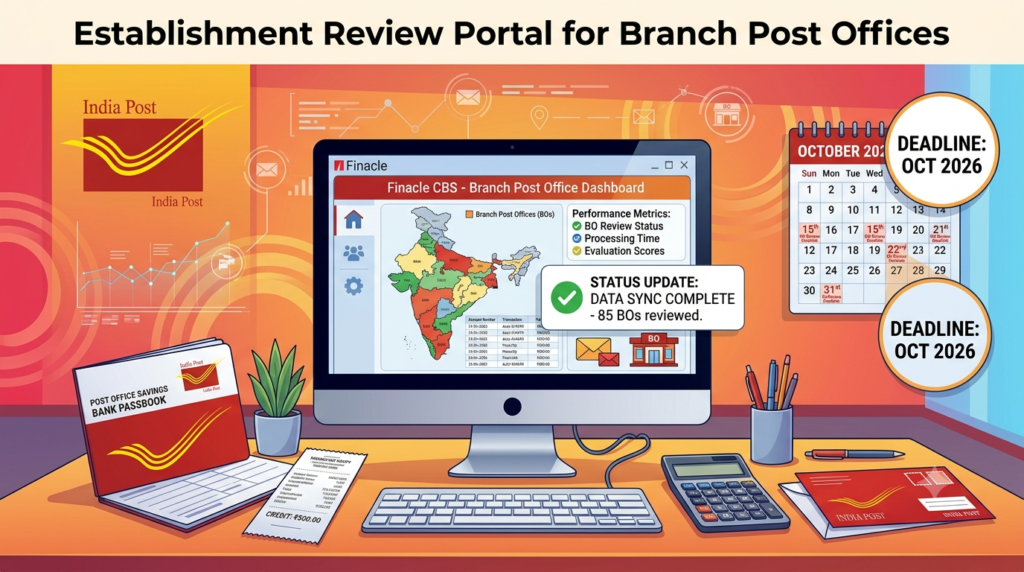
The Department of Posts wants the master data of every Branch Post Office (BO) entered on the new Establishment Review Portal by 16 October 2026. In 23 pilot divisions, the work must be finished even sooner, by 11 October 2026.
The instruction comes in a D.O. letter dated 7 October 2026 from Shri K. Prakash, Member (Personnel), Postal Services Board, to all Chief Postmasters General. The letter number is Q-25/22/2024-PE-I-DOP.
The full portal must be rolled out by 31 October 2026. Progress is being reviewed every week at a higher level, and the rollout is a dashboard item of the Hon’ble Minister of Communications. So circles have been asked to treat it as top priority.
Quick facts at a glance:
- Letter date: 7 October 2026
- Issued by: Member (Personnel), Postal Services Board
- Sent to: all Chief Postmasters General
- Portal: Establishment Review Portal
- Who is covered: all Branch Post Offices
- Pilot divisions: 23, one in each listed circle
Key Deadlines
| Date | What must be done |
|---|---|
| 11.10.2026 | Pilot divisions: master data and ABPM/GDS Carrier workload data for all BOs |
| 16.10.2026 | All circles: master data entry for every Branch Post Office |
| 31.10.2026 | Full rollout of the Establishment Review Portal |
Pilot Divisions List (Annexure I)
The Proof of Concept (PoC) will start in these 23 divisions. If you work in one of them, the deadline for you is 11 October 2026.
| Circle | Region | Pilot Division | Division Office ID |
|---|---|---|---|
| Andhra Pradesh | Vijayawada Region | Prakasam Division | 11530018 |
| Assam | Dibrugarh Region | Dibrugarh Division | 12530006 |
| Bihar | East Region, Bhagalpur | Saharsa Division | 13530025 |
| Chhattisgarh | Chhattisgarh | Bastar Division | 14530001 |
| Delhi | Delhi | Delhi North Division | 15530003 |
| Gujarat | Rajkot Region | Kutch Division | 16530013 |
| Haryana | Haryana | Bhiwani Division | 17530002 |
| Himachal Pradesh | Himachal Pradesh | Rampur Bushahr Division | 18530006 |
| Jammu & Kashmir | Srinagar HQ Region | Ladakh Division | 19530003 |
| Jharkhand | Jharkhand | Santhal Parganas Division | 20530008 |
| Karnataka | South Karnataka Region | Mangaluru Division | 21530029 |
| Kerala | Kochi Region | Idukki Division | 22530010 |
| Madhya Pradesh | Jabalpur Region | Chhindwara Division | 23530009 |
| Maharashtra | Regional Office Aurangabad | Beed Division | 24530032 |
| North Eastern | North East – II Region | Manipur Division | 25530001 |
| Odisha | Odisha | Puri Division | 26530010 |
| Punjab | Punjab West Region | Ferozpur Division | 27530009 |
| Rajasthan | Jodhpur Region | Jaisalmer Division | 28530021 |
| Tamil Nadu | Southern Region Madurai | Ramanathapuram Division | 29530029 |
| Telangana | Hyderabad Region | Adilabad Division | 30530001 |
| Uttar Pradesh | Gorakhpur Region | Basti Division | 31530027 |
| Uttarakhand | Uttarakhand | Tehri Division | 32530007 |
| West Bengal | North Bengal Region | Darjeeling Division | 33530018 |
How to Do the Data Entry (SOP in Simple Steps)
Annexure II is the SOP for entering ABPM Delivery and Mail Carrier (MC) workload data. The person who enters the data is called the Maker. This role (PO Operator Data entry HO/SO) is given to SPO and PO staff.
Step 1: Open the form
- Log in with your employee credentials.
- Pick the correct office or charge if you hold more than one.
- Open Establishment Review.
- Click Data Entry Form.
- Wait while reviews, offices and the form load.
Tip: if you see “You do not have the required roles to access this module”, your role is missing or your office charge is wrong. Ask your administrator to fix it.
Step 2: Pick your office
- You will only see the BOs mapped to your Accounting Office.
- If there is only one office, it is picked automatically.
- A Sub Office with several BOs must fill data for each BO one by one.
- If you see “No offices found for this review under your scope”, contact your Sub-Division or Division to fix the office mapping.
The review (ABPM workload data entry) is selected automatically. The Segment, Section, Field Type, Status and Search options only filter what you see on screen.
Step 3: Fill in the form
There are two kinds of fields:
- Manual fields: you type the value for every period. Required cells must be filled.
- System/Auto fields: filled by the system. Just check them; you cannot change them.
Step 4: Save every section
- Click Save Section Draft at the bottom right of each section.
- Save each section before moving to the next.
- Make sure the “Unsaved” mark disappears and the draft-saved message shows.
Important: typing alone does not save anything. You can lose your work if the session times out, the browser closes, the page refreshes, or you switch review or office.
Step 5: Submit
- Filter by Field Type = Manual and Status = Incomplete to find the cells still left.
- Fill every required manual cell for every period.
- Check that every required auto cell has a value.
- Make sure every section says Complete and none says Unsaved.
- Check that segment progress shows 100%.
- Click Submit (Final).
- Confirm the status changes to Pending Verification.
The Submit button stays greyed out until all required cells for all periods are filled.
What Does This Mean for GDS ABPMs and Carriers?
The Establishment Review Portal will record the workload of each Branch Post Office online. This includes ABPM delivery work and GDS Carrier work: unregistered mail, registered and parcel mail, value payable articles, money orders and more. Each item has a set norm time in seconds.
In simple terms, the data entered now will show how much work each BO really handles. That is why correct entry matters to every GDS:
- Check the numbers for your BO with your SO or Account Office.
- Report mistakes early. Auto fields cannot be changed by the Maker, so wrong system values must be flagged quickly.
- Pilot division staff should finish by 11 October 2026.
A Note for GDS Exam Aspirants
Workload norms, BO duties and the role of ABPMs and GDS Carriers are useful topics for the GDS to MTS Departmental Exam and the GDS to Postman Exam.
If you are in a pilot division, look for your circle’s exam prep too. Examples are GDS to MTS Punjab Circle (Ferozpur), GDS to MTS Uttar Pradesh Circle (Basti), GDS to MTS Bihar Circle (Saharsa), GDS to MTS Rajasthan Circle (Jaisalmer) and GDS to MTS Delhi Circle (Delhi North).
- Follow the GDS to MTS Syllabus and GDS to Postman Syllabus.
- Solve GDS to MTS Previous Year Question Papers.
- Take a GDS to MTS Mock Test every week.
Our GDS to MTS Online Classes and GDS to Postman Coaching come with live and recorded lessons, a question bank and India Post Mock Tests.
Frequently Asked Questions
What is the last date for BO master data entry? 16 October 2026 for all circles. Pilot divisions must finish by 11 October 2026.
When will the Establishment Review Portal be fully rolled out? By 31 October 2026.
How many pilot divisions are there? 23, one in each circle listed in Annexure I.
Which is the pilot division in Punjab Circle? Ferozpur Division, under Punjab West Region.
Who enters the data? The Maker, with the role PO Operator Data entry HO/SO, which is given to SPO and PO staff.
What should I do if no BO appears in my list? Contact your Sub-Division or Division to update your office mapping.
Why can’t I click Submit? Submit stays disabled until every required cell for every period is filled and saved.